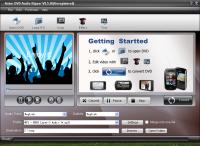
Acker DVD Audio Ripper is a software DVD movie soundtrack ripper which can rip DVD audio to MP3, MP2, M4A, WAV, AAC, AC3 and OGG formats. You can use DVD Audio Ripper to extract DVD audio and rip DVD movie soundtrack to MP3 and convert DVD to WAV
Acker DVD Audio Ripper is a software DVD movie soundtrack ripper which can rip DVD audio to MP3, MP2, M4A, WAV, AAC, AC3 and OGG formats. You can use DVD Audio Ripper to extract DVD audio and rip DVD movie soundtrack to MP3 and convert DVD to WAV with complete sound effects.
Unlike other software which requires at least two or three steps to convert DVD Audio to MP3, Acker DVD Audio Ripper and DVD movie soundtrack ripper works in 1 step and is 400% faster with complete sound effects.
Compared with other DVD Audio Ripper, Acker DVD Audio Ripper and DVD movie soundtrack ripper offers unsurpassed high level of customization for you to convert DVD to MP3/AAC/AC3/M4A/ WAV/OGG/MP2 audio by custom file size, rip DVD's any segment (flexible title and chapter choices), supports select target audio track, and so on...
With easy operation and fast speed, the DVD Audio Ripper and DVD movie soundtrack ripper software will make the task of ripping and converting DVD audio to MP3/M4A/AAC/AC3/WAV/MP2/ OGG a breeze!
Free Download Acker DVD Audio Ripper to have a wonderful experience!!!
Acker will provide free update service and One-Day-Email support service! Whats new in version 3.5.32: codec and function upgrade Requirements: Intel or AMD CPU 800MHz or better;64MB RAM or better Operating system: Win2000,Win7 x32,Win7 x64,Win98,WinOther,WinServer,WinVista,WinVista x64,WinXP Release notes: New Release
Riptoo Audio Converter is a professional powerful all-in-one audio converting solution and MP4 to MP4 converter.
Price: $19.95, Rating: 10, Downloads: 174 Download
Ripping Blu-ray discs and DVD movies to iPhone-supported video formats;Converting Blu-ray discs and DVD movies to audio formats like M4A, WAV and MP3;Ripping Blu-ray discs and DVD movies to iPod videos;Converting Blu-ray discs and DVD mo
Price: $35.95, Rating: 7, Downloads: 159 Download
XFreesoft DVD Creator for Mac is a super easy DVD creator for Mac users to burn video to DVD. All DVD editing and conversion processes can be done with the most excellent quality and the fastest speed by using XFreesoft DVD Creator for Mac.
Price: $19.95, Rating: 6, Downloads: 110 Download
Power DVD Rip Studio is a powerful DVD copying and ripping software which can rips DVD to AVI, DVD to MPEG, DVD to WMV, DVD to WAV, and DVD to SVCD formats...
Price: $29.95, Rating: 9, Downloads: 102 Download
WinX Bluray DVD iPhone Ripper helps you rip/convert Blu-ray DVD to iPhone iPod MP4 H.264 video for smooth playback on your iPhone as well as iPad, iPod, iPod touch and Apple TV.
Price: $19.95, Rating: 6, Downloads: 100 Download
User Rating
Rating:2.2 out of
5 Based on13 ratings.
13 user reviews.

 Acker DVD Audio Ripper 3.5.32 details